



Garmin Fenix 8 Pro AMOLED Watch
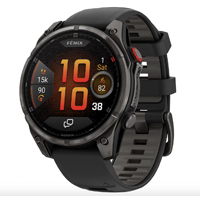
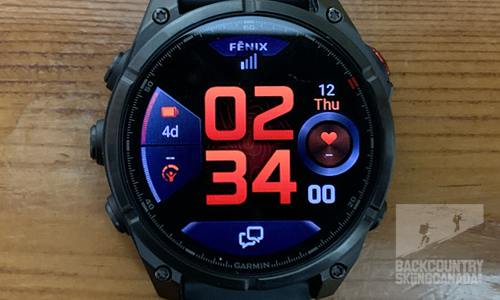
The new Fenix 8 Pro is Garmin’s latest premium multisport smartwatch and the first Fenix with LTE and inReach satellite technology. This allows for two-way communication without carrying your phone to stay connected and safe on your adventures. While there are some connectivity limitations—and it helps if you are already invested in the Garmin ecosystem—the watch offers a wealth of functionality from your wrist that was not previously possible with Garmin. The big question is whether the new Fenix 8 Pro can replace a dedicated handheld satellite communication device, or if you still need to carry one as well. Let’s dive into the full review and find out.
- SHOW THE REST OF THE REVIEW / PHOTOS / VIDEOS
-
The Fenix 8 Pro is largely the same as the standard Fenix 8 in terms of hardware and software, so I won’t cover all the core features and technology here. Instead, I’ll focus mainly on the new Pro features, which build on the LTE and satellite technology. Before you dive into this review, be sure to read the previous review of the Fenix 8 Solar Watch to get up to speed.
 What’s New
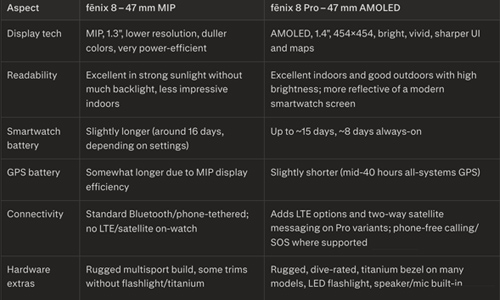
Here’s how the Fenix 8 Pro AMOLED watch differs from the Fenix 8:- Brighter display
- Satellite two-way connectivity: text messaging, Emergency SOS
- LTE two-way connectivity: text messaging, Emergency SOS, voice calls, live track, weather, location check-in
- .8mm thicker
- 3 grams lighter
- The display is 3.56mm / .1” larger and much brighter
- 194 x 194 more pixels in the display resolution
- Reduced battery life by 6 days, and in GPS Only mode, it is reduced by 23 hours
- No 43mm version available
- No solar charging option available
LTE Connectivity
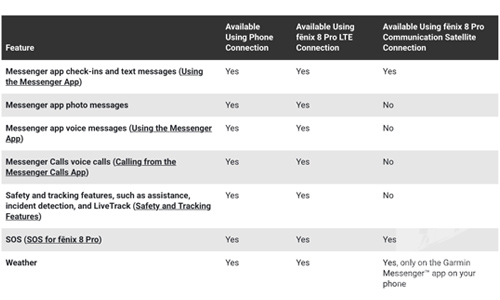
Because the Fenix 8 Pro does not have an integrated cellular chip, it uses an LTE‑M data connection to transfer data. This means the Fenix 8 Pro doesn’t have its own phone number; instead, Garmin routes all texts and voice calls over the LTE‑M data connection to your watch’s IP address. LTE‑M is a lower‑power version of LTE and is used primarily for “Internet of Things” devices such as the Fenix 8 Pro.
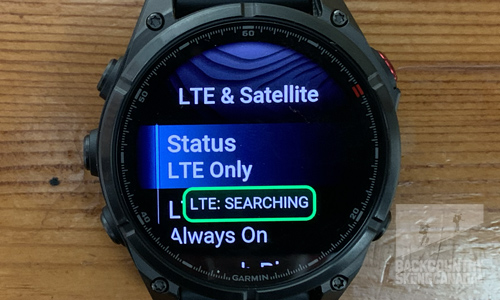
There are two LTE modes to choose from: Always On and Auto. Always On works as the name suggests and remains continually connected, which requires more energy and drains the watch battery by about 30–40% per day. Auto mode is more energy‑efficient and temporarily turns on LTE only when you use features that require it, such as sending a message or checking for messages, which must be done manually since messages do not automatically download in the background like on a traditional cellular phone.To determine LTE signal strength, you can view a small graphic in the centre of the watch face, similar to what is displayed on your phone; it is also found in the control menu.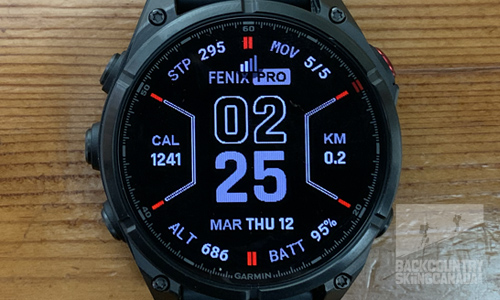
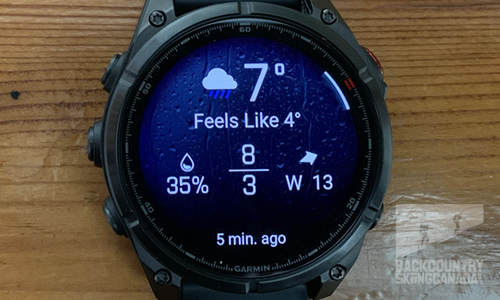
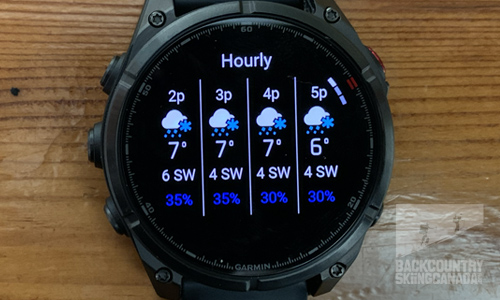
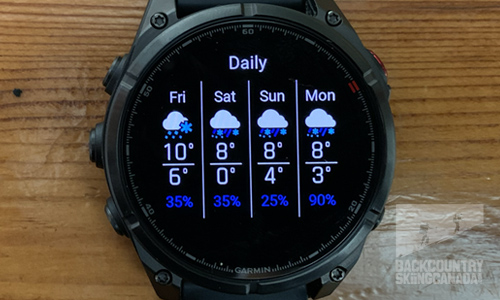
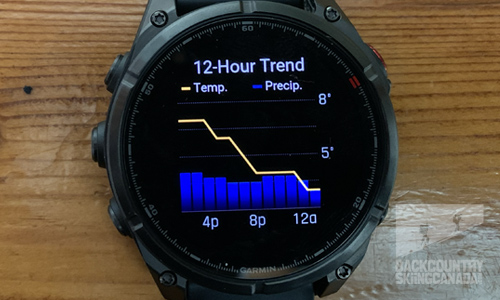
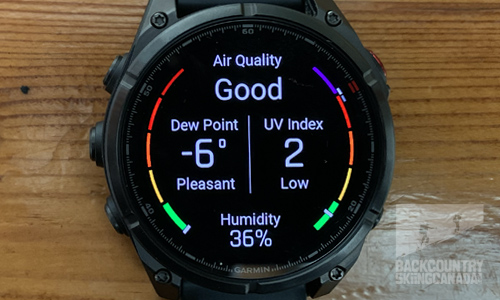
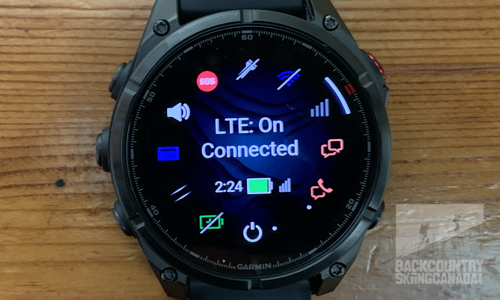 Thanks to this LTE data connection, you can retrieve weather data directly on the Fenix 8 Pro, which is very handy when you don’t have your phone with you. This data is very extensive, but if you don't have an LTE data plan, you can also set a Storm Alert to notify you when the barometric pressure changes reapidly.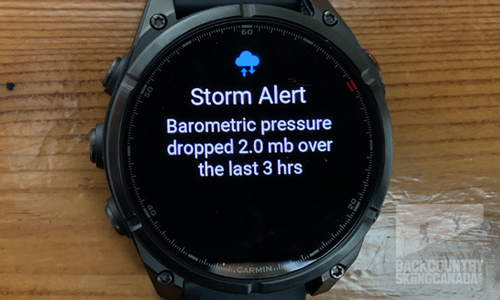
 Satellite Connectivity
This new “Pro” version of the Fenix 8 does not use the Iridium satellite network (a series of low‑Earth‑orbit satellites) that other Garmin devices rely on. Instead, it uses Skylo, a global non‑terrestrial network provider that essentially acts as a software network layer, allowing the Fenix to connect to a geostationary satellite constellation located about 22,000 miles above the equator. Because these satellites are not moving overhead, you must have a clear view of the sky to connect. The farther north or south you go, the more coverage degrades, so it is not equivalent to the inReach network, which uses Iridium satellites in low‑Earth orbit and offers more consistent connectivity for SOS and communications in remote locations.
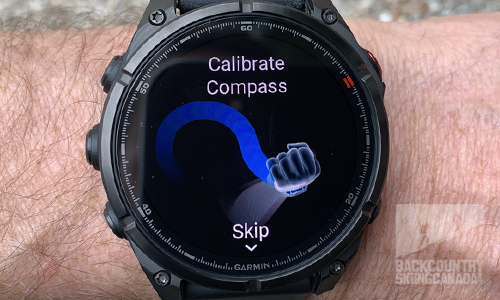
You have to manually connect to the satellite to check for messages, as they do not download automatically. When you do this, the Fenix 8 Pro prompts you to:- Turn to face the satellite.
- Calibrate the watch if needed by turning your wrist in a figure‑eight motion.
- Align the satellite by placing the satellite icon inside the centre target.
- Watch for the blue icon (Searching) and hold the watch in this position.
- Wait for the green icon (Connecting).
- Once connected, messages are sent fairly quickly.
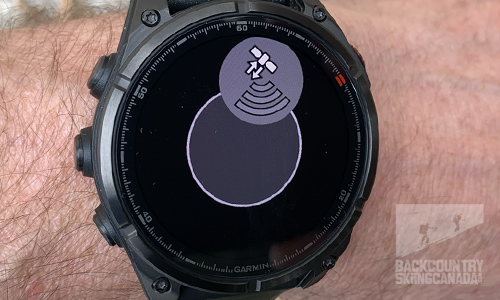
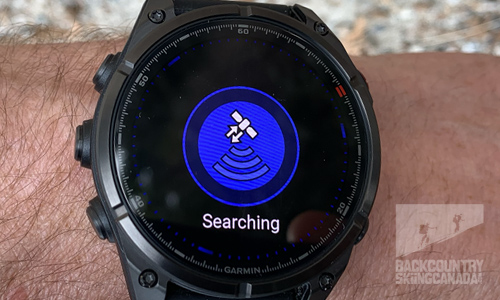
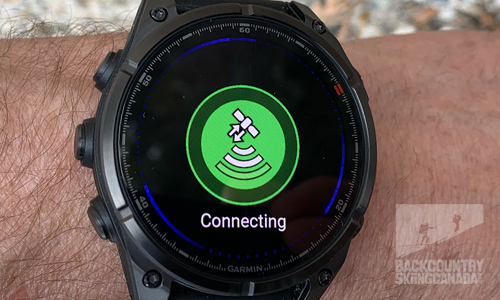
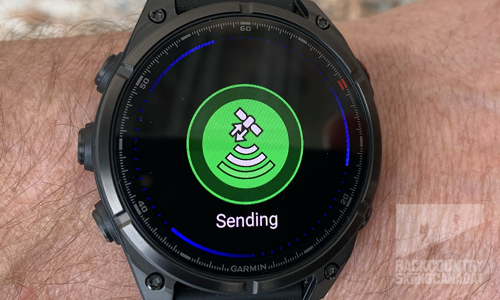
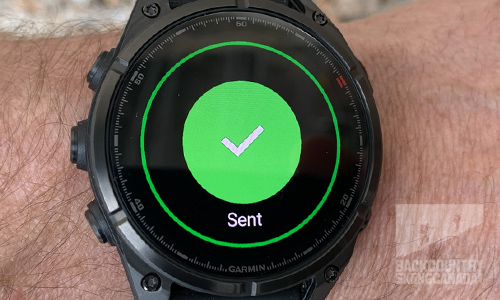 You don’t need to reconnect every time if you are sending a series of messages, as the satellite will stay connected for a period of time before timing out. You can see in the image below that the Fenix 8 Pro is still connected to the satellite by the small satellite icon at the top of the watch screen.
It’s important to understand that LTE and satellite coverage for the Fenix 8 Pro is not truly worldwide like traditional inReach devices, which have near‑global coverage. To see where the Fenix 8 Pro connects via LTE and/or satellite, check out this page.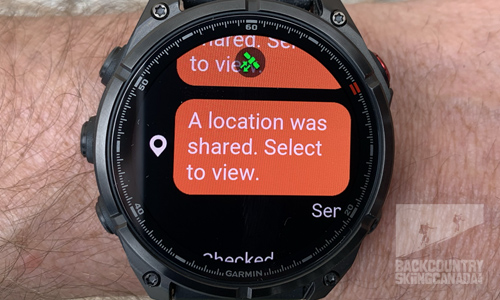 Both the LTE and satellite connections must be turned on and off within a set of menus, and there is unfortunately no way to change these settings to be more efficiently accessed. Navigate to Watch Settings > Connectivity > LTE & Satellite > Status and then choose your option.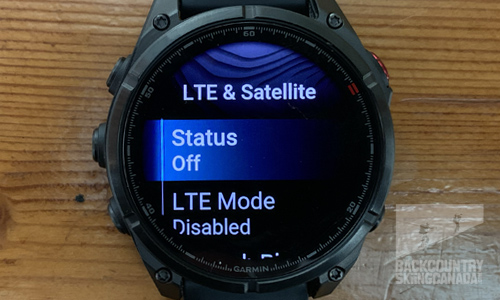
AMOLED Screen
I previously reviewed the Fenix 8 Solar Watch, which used a MIP‑based (Memory‑in‑Pixel) display to maximize battery life thanks to higher energy efficiency. That display is transflective and uses ambient light, consuming power only when changing the image, but it sacrifices brightness and colour clarity. For the Fenix 8 Pro, I chose the AMOLED display (about $200 more expensive) for its much richer colours and overall brighter output at 3,000 nits. Garmin also offers a MicroLED display, but this option really breaks the bank at roughly $700 more than the version I tested.
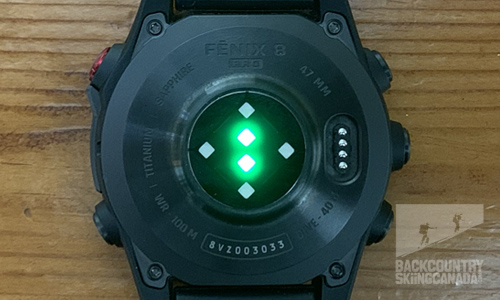
AMOLED (Active Matrix Organic Light‑Emitting Diode) is a display technology where each individual pixel produces its own light. MicroLED is also a self‑emissive flat‑panel display technology, but it uses millions of microscopic inorganic LEDs to form individual pixels and can reach a brightness rating of 4,500 nits. By eliminating the need for a backlight, MicroLED offers superior picture quality with higher contrast, intense brightness, and faster response times.Below you can see the custom watch face that I downloaded from Garmin Connect and the back of the watch with the heart rate and Pulse OX sensor.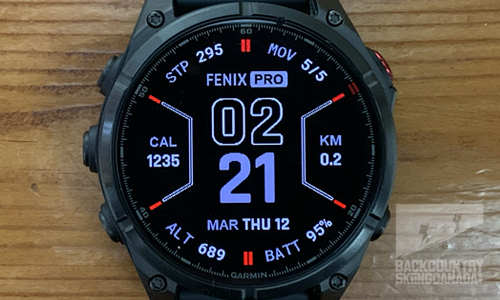
Texting
Texting is new on the Fenix 8 Pro and can be done via LTE or satellite to any email address or phone number available through your Garmin Messenger app. Because the keyboard on the Fenix 8 Pro is so small, it can be difficult to use even with average‑sized fingers.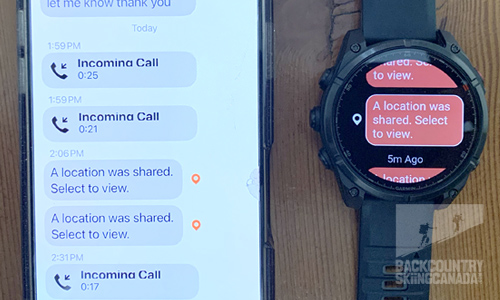
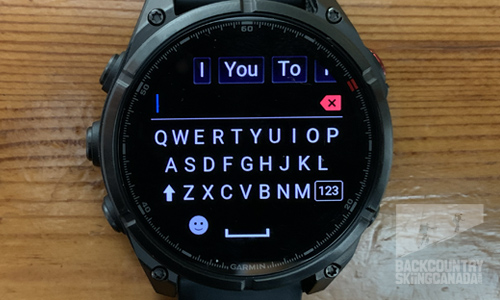 There is no voice‑to‑text dictation, but you can record an audio message over LTE, which then appears with a dynamically generated transcription on the recipient’s end.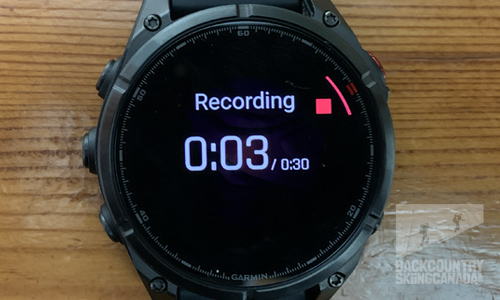
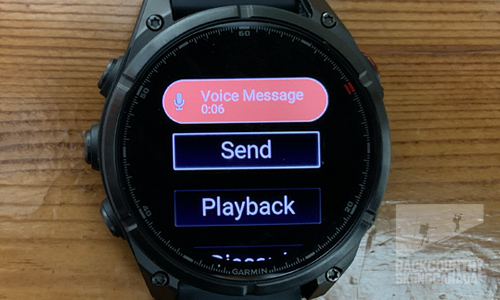
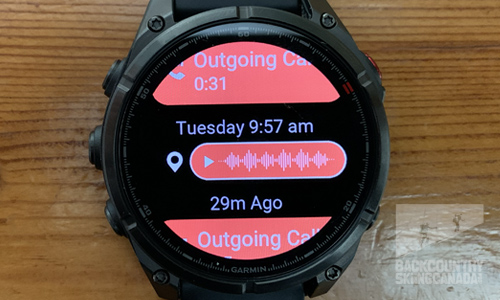 There are also pre-canned text messages you can send to save time, or you can simply share your location.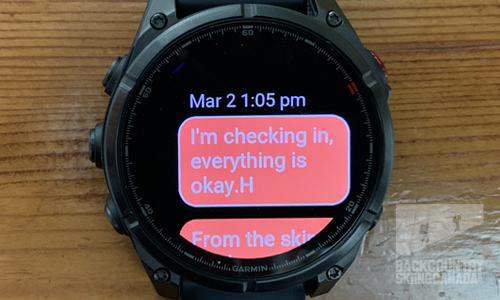
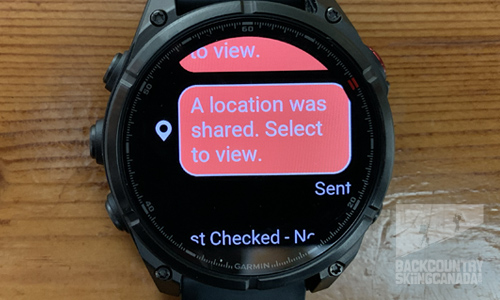 When a message is received on the watch, you can tap on it to react with an emoji to confirm receipt.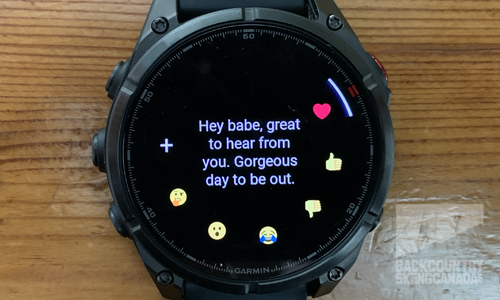
Voice Calling
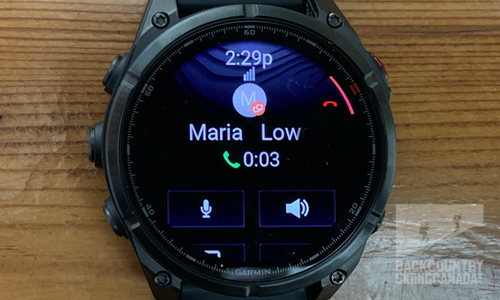
Voice calls can be made only over LTE, not via satellite, and the recipient must already be in your contacts and have an active Garmin Messenger account. Calls are sent as data rather than over a traditional cellular network, so your recipient options are limited. However, the sound quality is impressive, and the latency is minimal.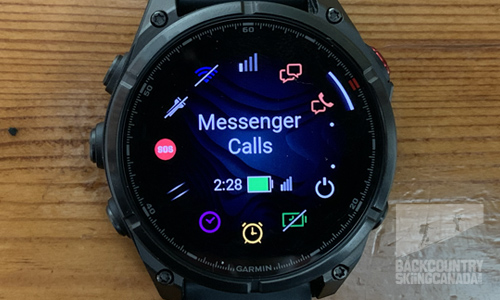
SOS
If you ever need to send an SOS notification, the Fenix 8 Pro first tries to use your phone’s data connection. If that is not available, the watch then uses its LTE connection, and if that also fails, it finally sends the SOS via satellite. This tiered approach allows you to send an SOS whether you are in or out of LTE range and will connect you to emergency services via Garmin Response.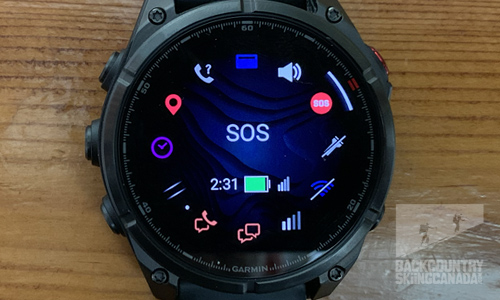
Incident Protection
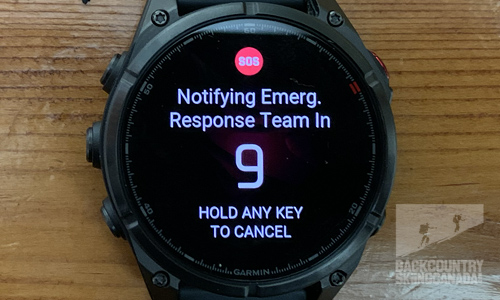
If you take a hard fall while engaging in one of the supported activities, the Fenix 8 Pro will detect it and contact your emergency contacts without needing your phone, as it uses the watch’s LTE connection (not satellite). It will send an automated text message and email with your name and GPS location to up to three predefined contacts, but it will not contact emergency services via Garmin Response.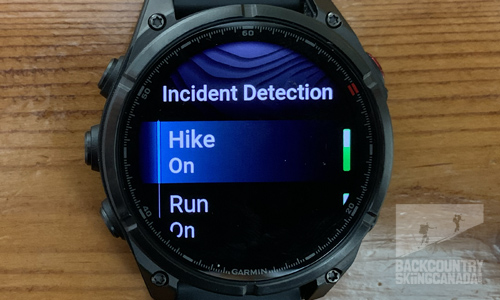
InReach plans
Garmin offers four inReach plans to choose from: Enabled, Essential, Standard, and Premium. Each plan requires a $54.99 CAN activation fee. The most basic plan is the Essential Plan at $10.99 CAN per month, while the Premium Plan is the most comprehensive—and most expensive—at $69.99 CAN per month.
All plans include unlimited LTE text, voice messages, voice calling, and LiveTrack location sharing with no roaming fees. SOS emergency messaging via satellite is also included in every plan, but check‑in messages, text messages, and live tracking by satellite are charged per use on the Enabled plan, offered in fixed quantities on the Essential plan, and unlimited on the Standard and Premium plans.
If you decide not to purchase a plan, your phone’s Wi‑Fi or cellular data connection is required to stay connected and send messages. In this configuration, the Fenix 8 Pro essentially works as a paired communication extension for your phone’s Messenger app.
Regardless of the plan you choose, you can only have one device active at a time unless you have a separate inReach plan for each device, or you purchase a professional plan that allows for multiple devices but costs more. With the Fenix 8 Pro, you get a 30‑day free trial of any inReach plan when you set up the watch.Features:
- AMOLED colour touchscreen that is bright and easy to read in any light.
- LTE‑M connection lets you make and take calls, send voice and text messages, check the weather, send your location, call for help from anywhere with satellite coverage.
- Uses Skylo’s constellation of geostationary satellites, covering most of North America and Western Europe
- Satellite connection lets you send texts and emails from anywhere with coverage.
- LiveTrack lets you share your location and fitness data during activities over LTE (limited to 30‑second check‑ins) or via a phone connection.
- Incident detection recognizes an accident and alerts predefined emergency contacts via LTE or phone connection.
- The microphone and speaker let you use your watch like a phone.
- Built‑in activity modes for biking, running, walking, multisport, swimming (indoor and outdoor), gym activities, skiing (2,000+ ski resort maps), golf (preloaded with 43,000 courses), and more.
- Activity animations guide you through proper form for strength training, cardio, Pilates, and yoga.
- Free TopoActive maps provide turn‑by‑turn directions in the city, while features like Nextfork help keep you on track in the backcountry.
- Round‑trip routing: choose a distance and get course options that start and end in the same spot.
- Multi‑band signal reception and expanded GNSS support (GPS, GLONASS, Galileo, QZSS, IRNSS) for faster, more accurate positioning and elevation data.
- Stream and download using Spotify (premium required), Amazon Music, and more, or add MP3s from your computer.
- Dive‑rated to 40 m with sealed metal buttons.
- ClimbPro shows grade, total ascent, and current position on an elevation profile.
- PacePro lets you set your desired pace, then compares your needed pace versus your goal pace for each split and for the course.
- Running dynamics from your wrist, including running power, cadence, ground contact time, stride length, vertical oscillation, vertical ratio, and ground contact time balance.
- Morning and evening reports summarize your day, sleep quality, recovery level, training effects, and even provide personalized daily workout suggestions.
- Smart wake mode acts as a more natural alarm, waking you during lighter sleep phases.
- Body Battery tracks daily energy levels, monitoring what drains your energy (exercise) and what recharges it (rest, food), helping you train smarter.
- Strava Segment integration (requires premium) preloaded or on the fly through your phone, showing starred segments and results.
- Elevate 5.0 optical heart‑rate monitor with improved accuracy and more sensors for precise Pulse Ox data, and works while swimming.
- Heart rate variability (HRV) monitoring helps predict recovery and shows how your body is responding to training.
- Physiological data: VO2 max, visual race predictor, real‑time stamina tracking, recovery advisor, and performance indicators.
- Training readiness and training status metrics.
- 24/7 activity tracking that learns your activity level and guides you toward a more active lifestyle.
- Sleep tracking with total sleep hours plus movement and restful sleep metrics.
- Built‑in LED flashlight.
Smartwatch: up to 15 days (8 days always‑on)
Battery Saver Watch Mode: up to 19 days
GPS Only: up to 44 hours (33 hours always‑on)
All Satellite Systems: up to 34 hours (26 hours always‑on)Verdict:
Garmin’s new Fenix 8 Pro 47 mm AMOLED version brings a higher‑resolution, brighter display and a more connected “smartwatch” experience. In my testing, the Fenix 8 Pro delivered much sharper graphics, richer colours, and better indoor readability than the screen on my previous Fenix 8 MIP version. There are trade‑offs in battery life compared to the standard Fenix 8: my previous Fenix 8’s MIP screen is easier to read in bright sun without a backlight and is more power‑efficient, but it is considerably less vibrant and enjoyable to look at. The AMOLED screen feels much more “phone‑like,” and after getting used to this level of resolution, saturated colours, and rich graphics, I find the older MIP screen lacking—thankfully, the AMOLED screen delivers on all these fronts.
On the LTE and satellite communication side, I found setting up the inReach plan relatively painless, but actually enabling messaging and satellite communication via the Garmin Messenger app took some time and was not as intuitive as it could be. Turning LTE and satellite functionality on and off is also quite cumbersome and requires diving deep into menus. Given how power‑hungry these features are, I feel they should be much easier to access, as most people will not want to simply “set it and forget it.”
Once everything was up and running, LTE delivered consistent message delivery at a fairly efficient speed, with only occasional delays. Voice‑calling quality was very good for such a small device, with almost no noticeable latency. I was disappointed that I couldn’t call any phone number directly from the Fenix 8 Pro, and was instead limited to contacts within the Garmin Messenger app. It would also be helpful to be able to forward text messages from Garmin Messenger to another email address in order to consolidate all my communications.
Satellite connectivity was super easy, and had a very short learning curve. It is intuitive enough that you can establish a connection without ever reading the manual. However, because the satellites are geostationary, you have to move to where you can “see” them (clear view of the sky)—as they do not move to you. In other words, if you are behind an obstruction such as a mountain, or you are located several degrees of latitude away from the equator, your experience may be less reliable.
The Fenix 8 Pro retains the core multi‑sport suite, mapping, and training features of the previous watches, but adds richer animated workouts and enhanced map navigation that both benefit from the higher‑resolution AMOLED display. As with the Fenix 8, the Pro version maintains the same premium build quality with a dive‑rated case, built‑in flashlight, removable watch band, and metal sensor guard.
So, is the Fenix 8 Pro worth upgrading to from the Fenix 8 MIP? If battery life is your priority on long ski tours and multi‑day adventures where recharging is difficult, the Fenix 8 MIP still has the advantage—especially if you have the solar version. The same applies to screen readability in direct sunlight. The Fenix 8 Pro doesn’t substantially improve core GPS accuracy, metrics, or sport modes over the Fenix 8, so if your current watch already meets your training and navigational needs, you may be fine sticking with it. If, however, LTE/satellite text and voice communications plus inReach SOS functionality can enhance your off‑grid safety and day‑to‑day life, then the modest price bump and subscription costs are likely worth the added peace of mind—plus you get that much brighter, sharper, high‑resolution AMOLED screen.
After using the new Fenix 8 Pro for the past few months, I’ve really come to appreciate the brighter AMOLED display and improved graphics. While I use LTE text and voice‑calling features occasionally, I still find my phone’s interface offers a better overall messaging experience. The Fenix 8 Pro’s audio‑message option definitely helps, as typing a message on the watch’s tiny keyboard can be frustrating. However, when I’m out of cell coverage, being able to update friends and family on my location, send a status update, or reply to a customer text is truly priceless—as is not having to carry a separate satellite communication device. It’s impressive how much Garmin has packed into the Fenix 8 Pro without noticeably increasing the overall size. In my opinion, the Fenix 8 Pro is a worthy upgrade for any serious adventurer who values safety and reliable communication. So, be sure to check out the new Fenix 8 Pro if you are looking to purchase a new smartwatch with GPS and LTE/Satellite communications options.
 |
PROS:
|
 |
CONS:
|
Price: $1,67999CAN / $1,199.99US
Dimensions: 47 x 47 x 16 mm
Weight: 77g / 2.72oz
Display: 35.56 mm / 1.4” diameter, 454 x 454‑pixel resolution, AMOLED display
Storage: 32GB internal storage for up to 2000 songs
Water resistance: 10 ATM
Waterproof: 40 metres
Connectivity and sensors: LTE, Satellite, Bluetooth, ANT+, Wi‑Fi, GPS, GLONASS, Galileo, BeiDou, QZSS, optical HR, barometer, compass, altimeter, Pulse Ox, gyroscope, accelerometer, thermometer, ambient light sensor, depth sensor
Usability 1.5/2
Durability 2/2
Features 2/2
Innovation 2/2
Quality / Price 1.5/2

Did we miss something? Are we totally out to lunch? Let us know what you think. People like/dislike gear for different reasons so chime in below and we'll get a well-rounded evaluation. You'll need to login or register before you can comment but it only takes a few seconds, then you're good to go.
Leave a Comment: